Dashboard UX
" height="193px" id="TzyXF_8ah" width="1464px"/></svg>)
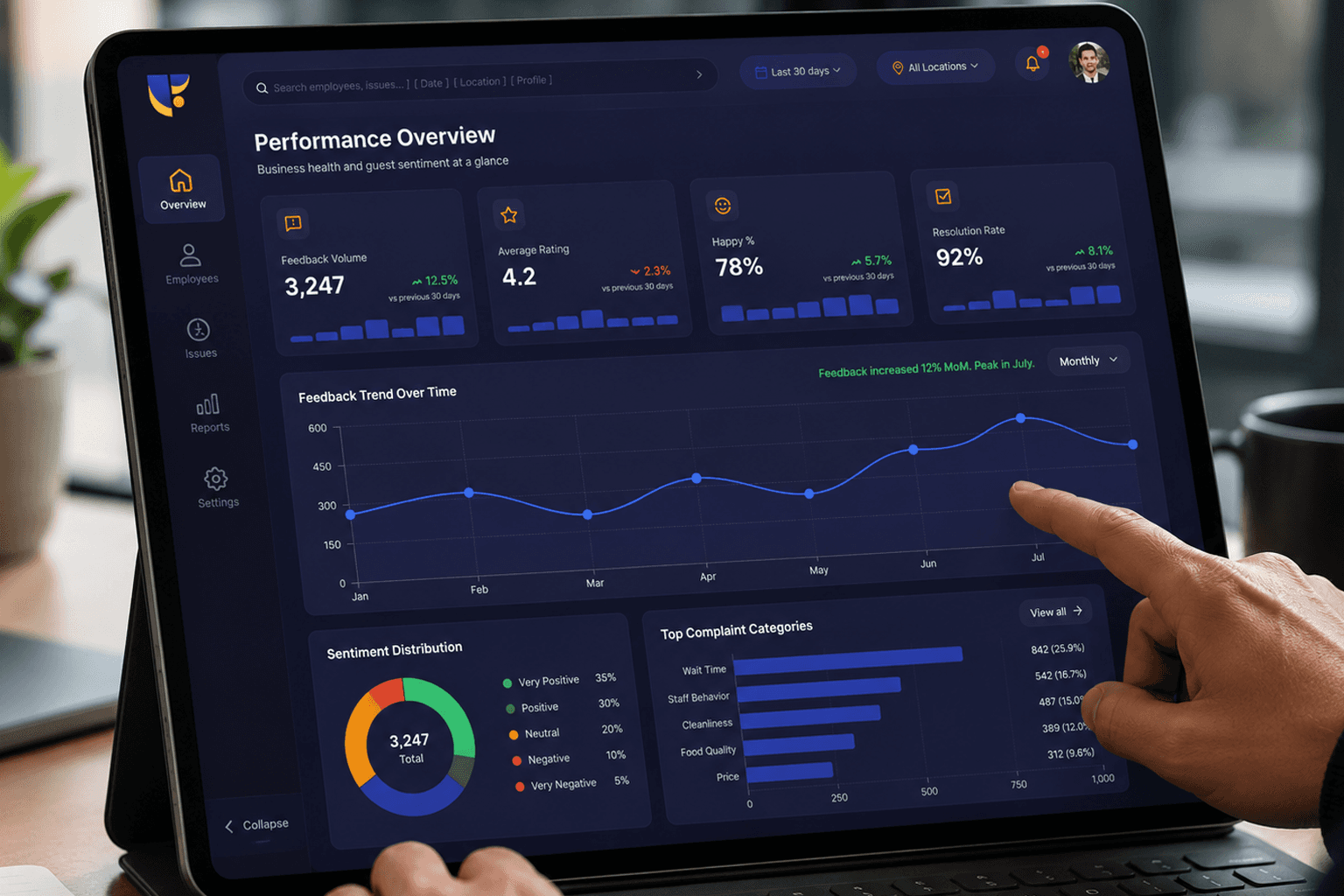
A feedback intelligence dashboard designed to help organizations analyze employee sentiment, uncover trends, and make informed decisions through meaningful data visualization and streamlined insights.
Contribution
Understanding the Challenge
Organizations often struggle to make sense of large volumes of employee feedback data spread across multiple categories and performance metrics. Decision-makers needed a clear and actionable way to identify patterns, understand sentiment, and quickly uncover meaningful insights.
The challenge was to design an experience that simplified complexity, improved readability, and transformed raw data into intuitive visual narratives.
Large datasets difficult to interpret
Slow decision-making due to fragmented insights
Limited visibility into workforce sentiment
Difficulty identifying patterns quickly
Overwhelming dashboards and metrics
Cognitive overload from excessive information
Complex information hierarchy
Balancing depth with simplicity
Presenting actionable insights visually
Goals & Design Strategy
Simplify complex data interpretation
Improve information hierarchy
Surface meaningful insights faster
Reduce cognitive overload
Create a scalable dashboard experience
The approach focused on transforming complex feedback data into a clear and structured experience through intuitive dashboard patterns, meaningful data visualization, and prioritized information architecture.
The goal was to enable decision-makers to move from raw data to actionable insights with minimal friction while maintaining clarity and usability.
Insight-driven
Scalable
Readable
Data-focused
User-centered
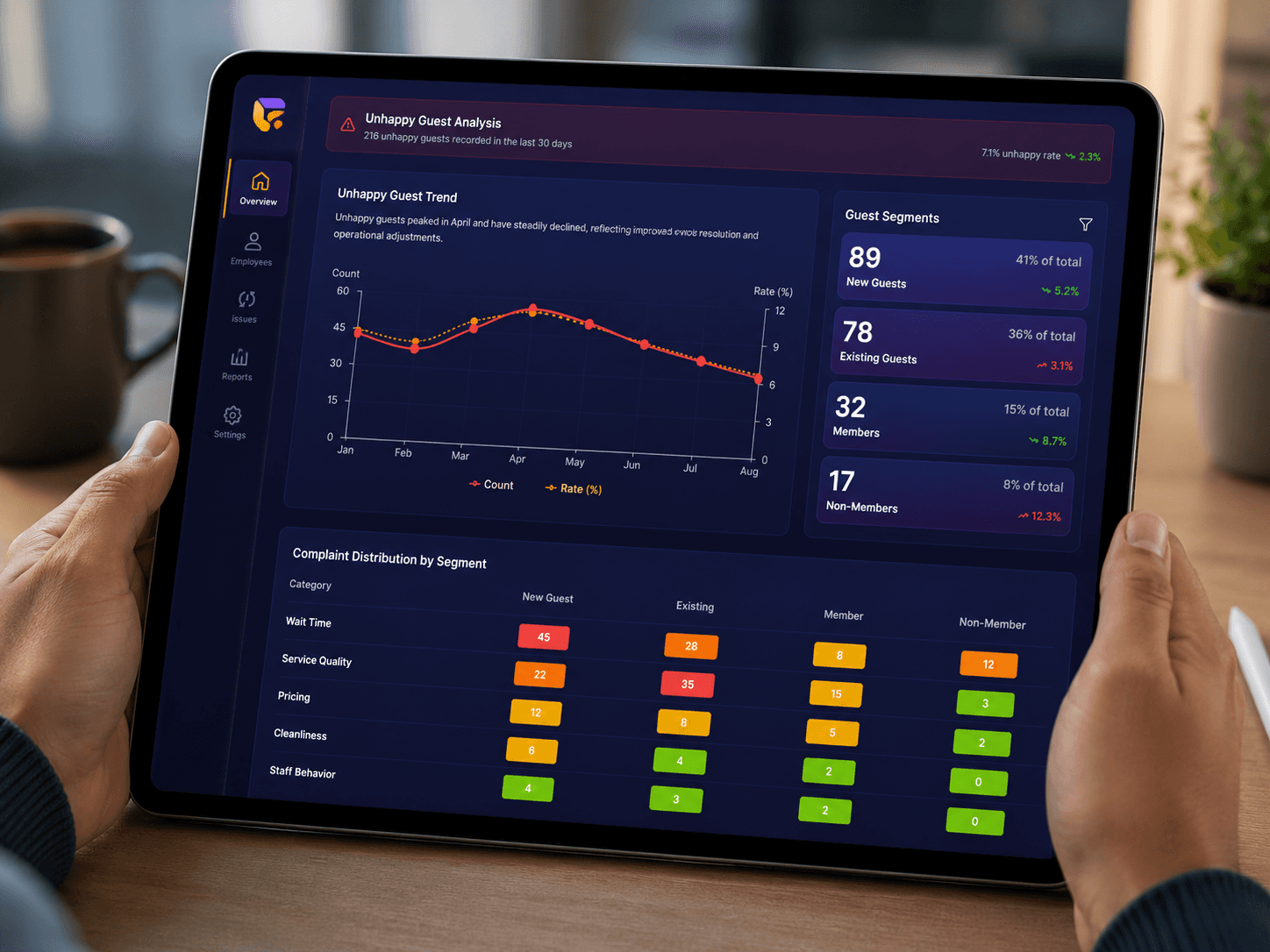
My Contribution
Designed intuitive dashboard structures for improved usability.
Organized large datasets into meaningful hierarchies.
Created clearer visual representations for better insights.
Focused on simplifying workflows and reducing complexity.
Information Architecture
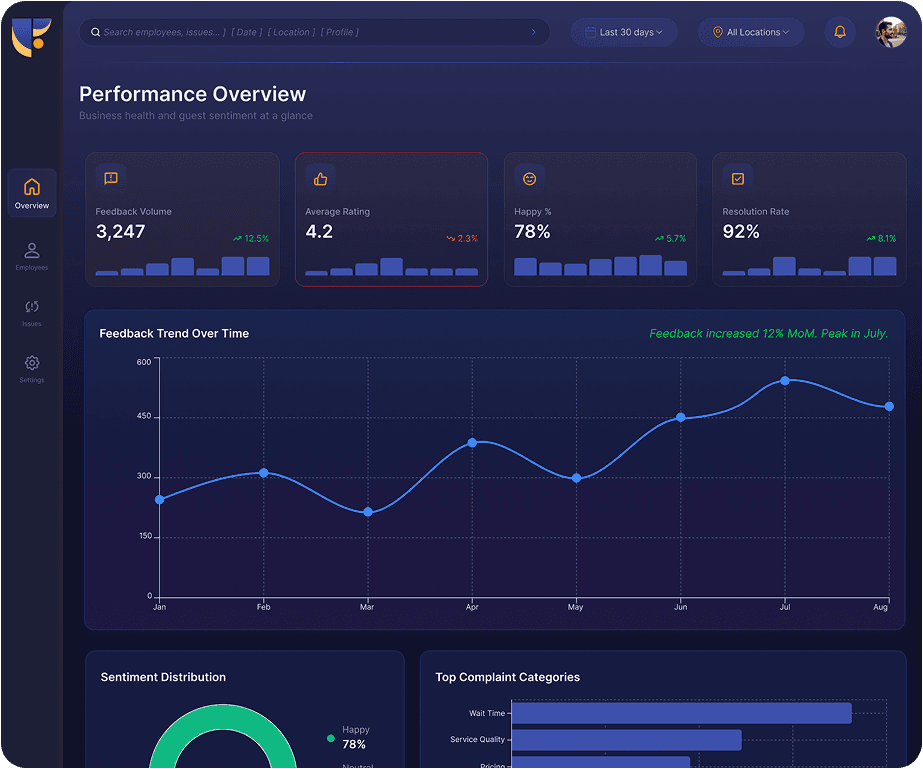
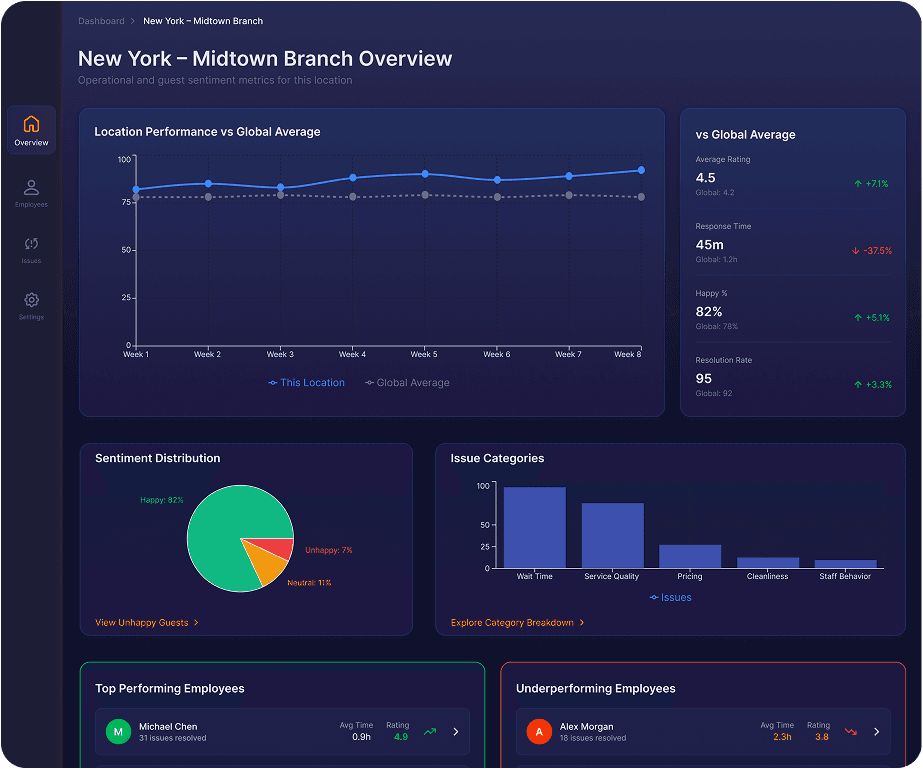
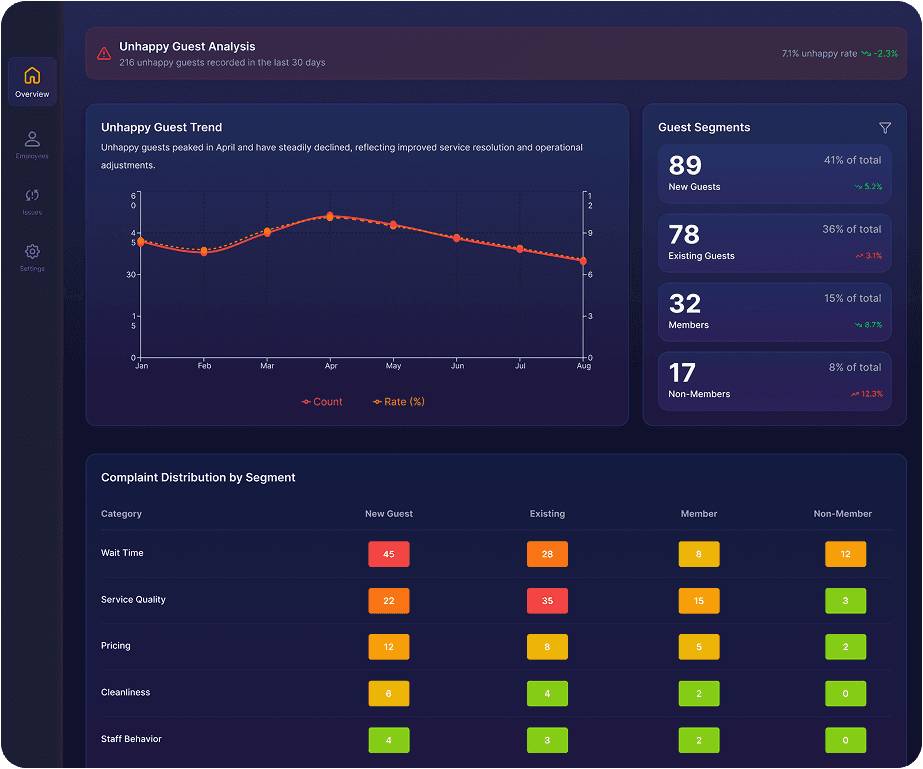
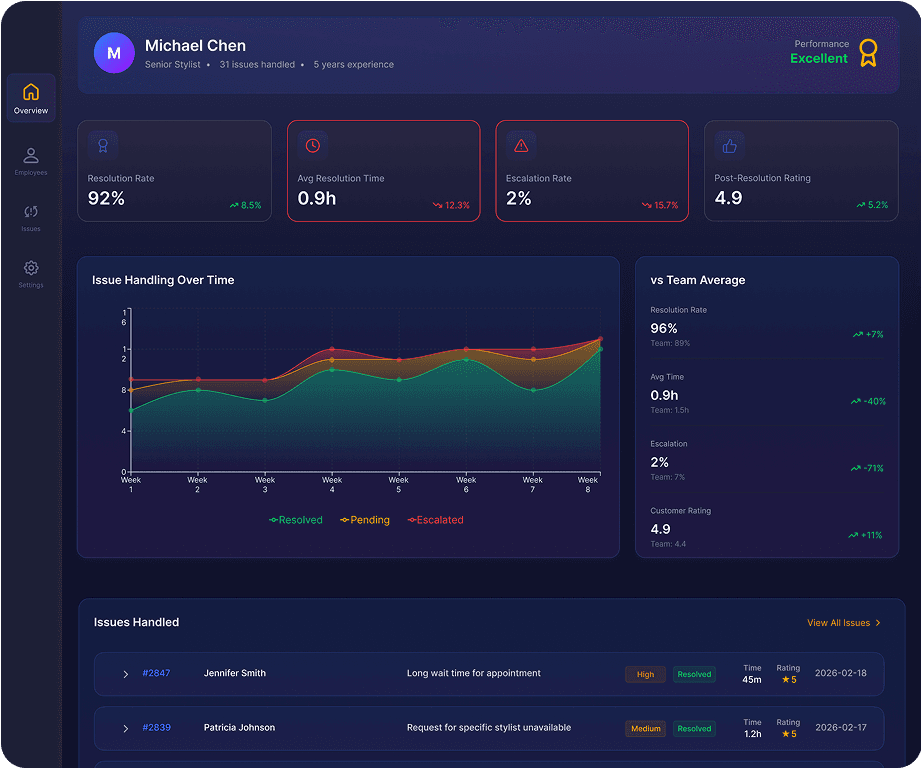
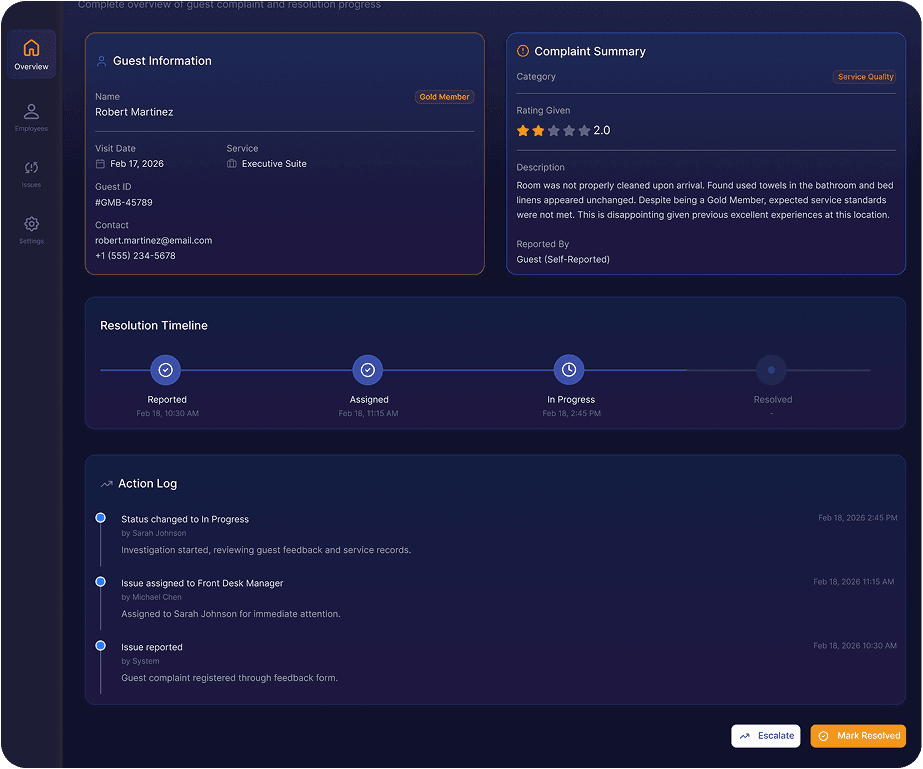
The dashboard experience was structured around prioritized information layers to help users quickly understand workforce trends, drill deeper into insights, and make informed decisions without cognitive overload.
Key Design Decisions
Presented information in manageable layers.
Prioritized important metrics first.
Used charts and visual indicators for clarity.
Improved readability for analytics-heavy experiences.
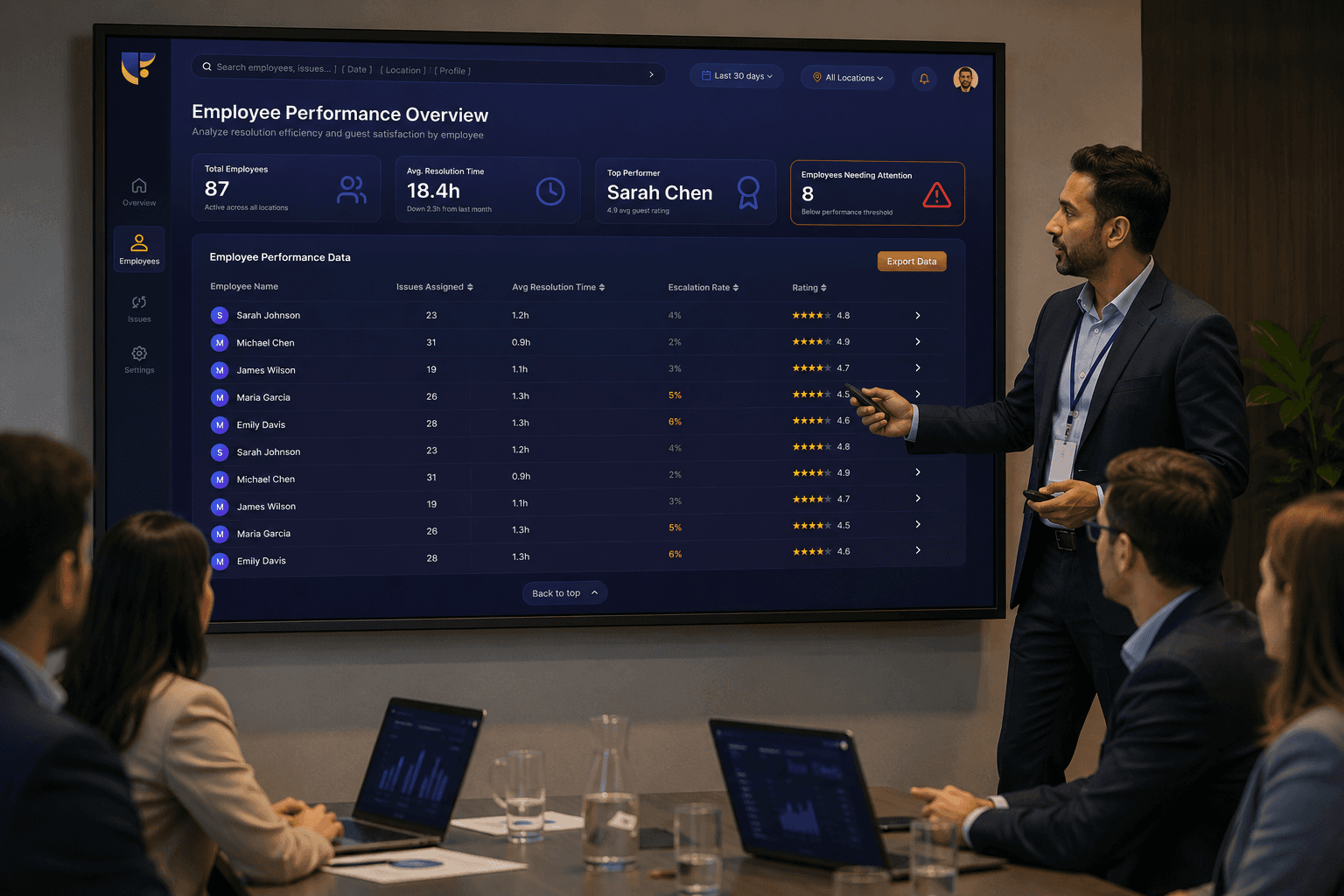
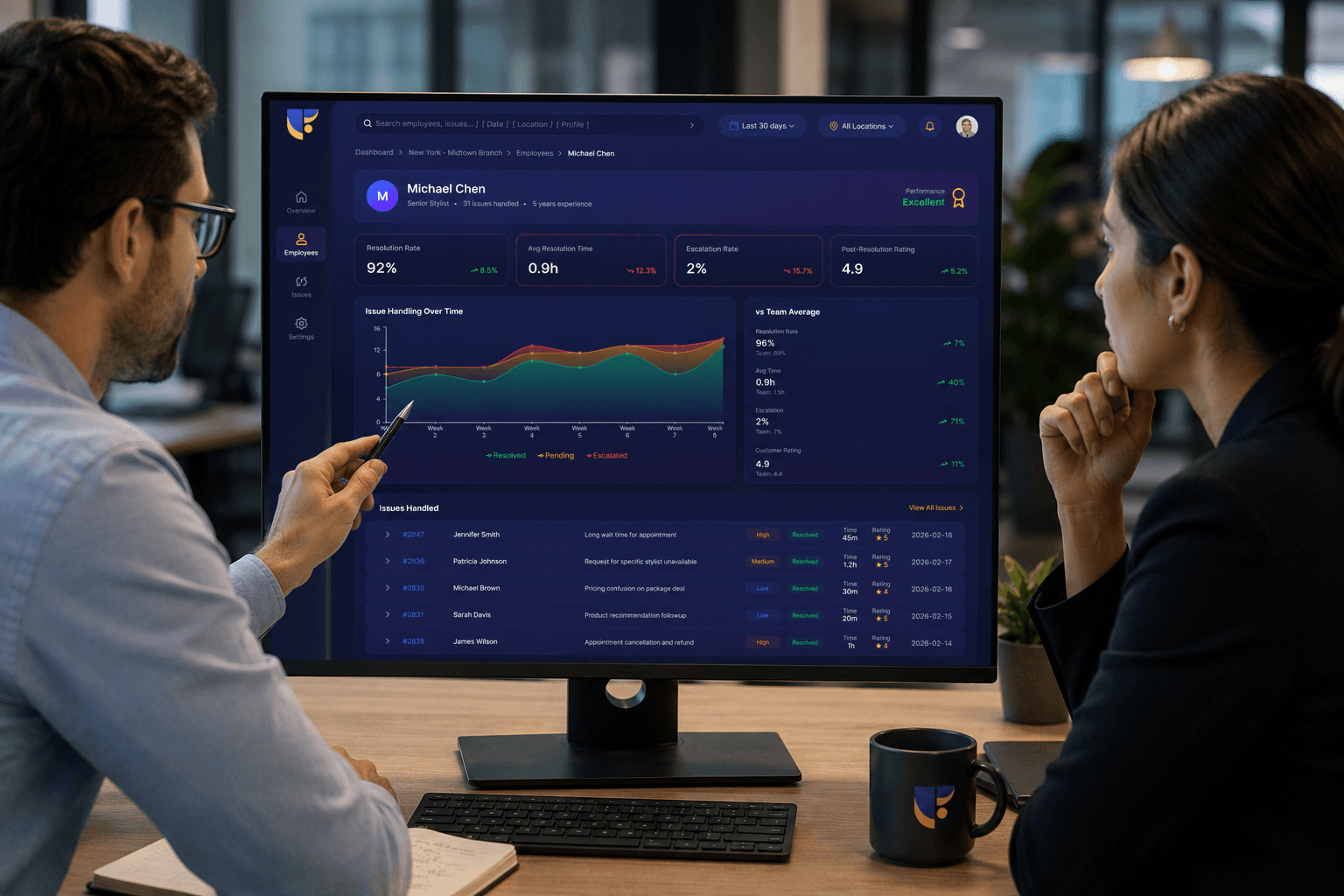
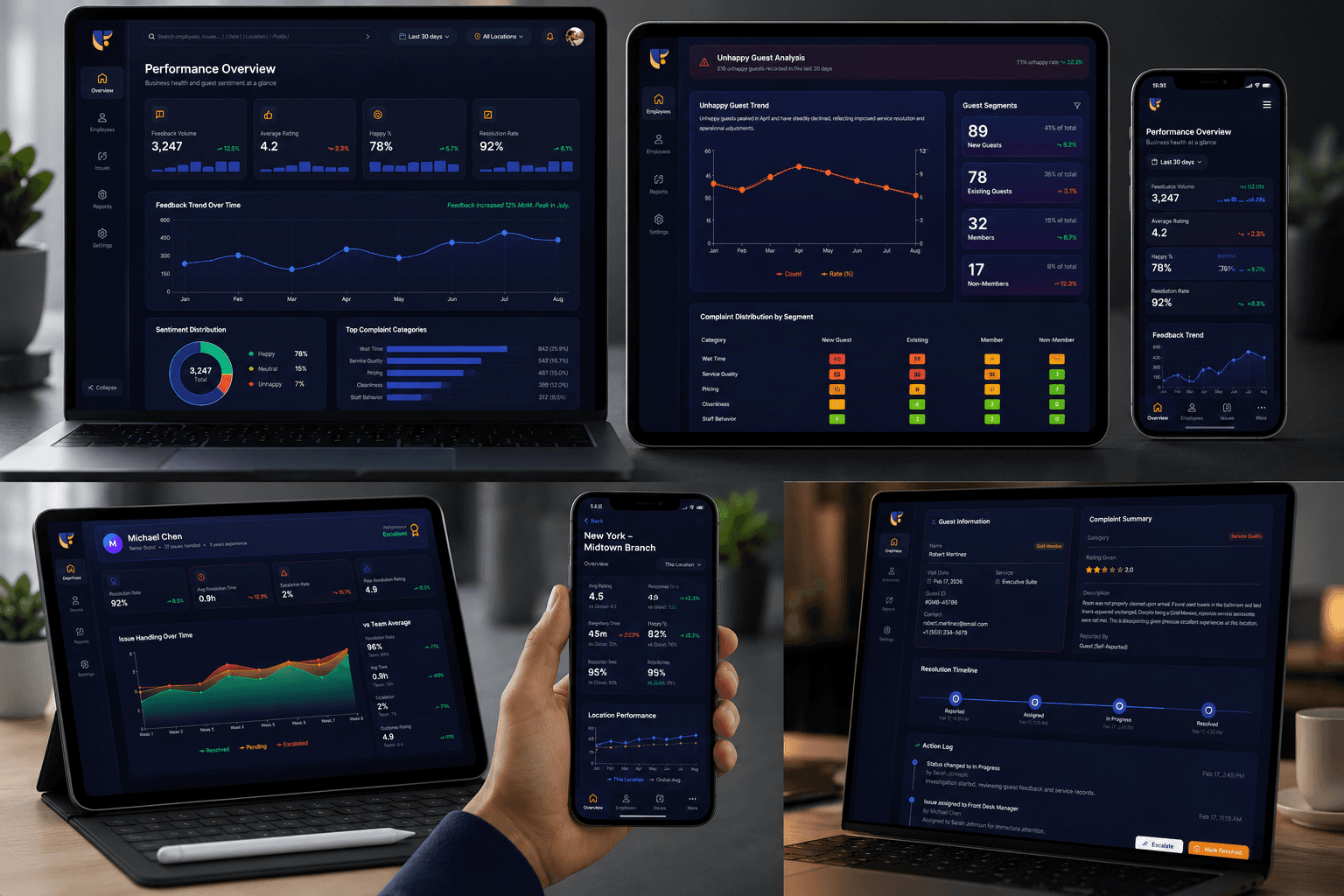
Dashboard experience in action
The final dashboard experience enabled users to navigate large feedback datasets more efficiently through structured navigation, meaningful visualization, and clearer information prioritization.
Results & Impacts
The redesigned dashboard experience improved clarity, reduced information overload, and helped transform complex employee feedback into actionable insights. The structured approach enabled decision-makers to identify patterns faster and navigate information more efficiently.
Key Outcomes
Reflection
This project reinforced the importance of balancing complexity with clarity in analytics experiences. Designing for data-heavy environments highlighted how thoughtful information hierarchy and visual storytelling can significantly improve usability.

" height="90px" id="ECRI63_AM" transform="rotate(180 728.5 45)" width="1457px"/></svg>)